An introduction to GIS, taught inside ArcGIS Pro
Twelve modules and fifty lessons that take you from a new project to a finished map, taught by Waldo in a pane beside your own map. You do every click. Waldo reads your project, checks your work, and answers your questions along the way. A companion book explains the ideas behind each module.
ArcGIS Pro 3.7+ on Windows · About fourteen hours of guided lessons · Bring your own AI provider · Your work stays on your desktop
Start here
- Download Waldo and double-click the file; Waldo Learning is inside it, free.
- Read Chapter 0 of the companion book; it takes you from a new computer to the first lesson.
- In ArcGIS Pro, open the Add-In tab, click Waldo, then the 📚 Learn button in the pane, and start Module 0.
What it is
Waldo Learning is a complete first course in geographic information systems. It covers the same ground as a one-semester university introduction to GIS: what a GIS is and how ArcGIS Pro is laid out; how the round Earth becomes a flat map; how data is stored, drawn, labelled and classified; how tables are joined and queried; how buffers, overlays, rasters, interpolation and density work; how to draw your own data; and how to finish a map and a 3D scene. It was written by a GIS instructor who teaches this course at a university, and the lessons were walked through, module by module, in real ArcGIS Pro sessions.
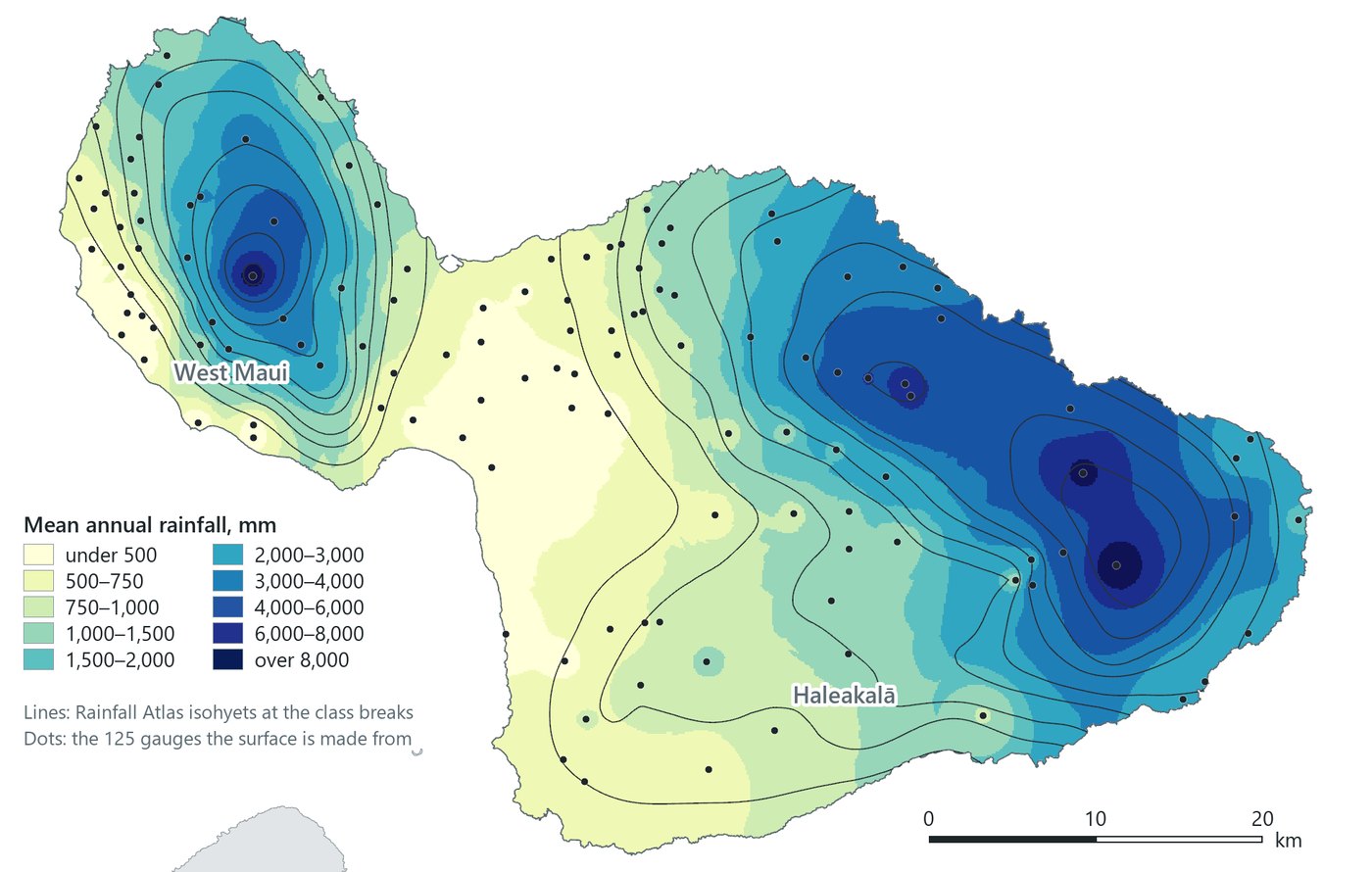
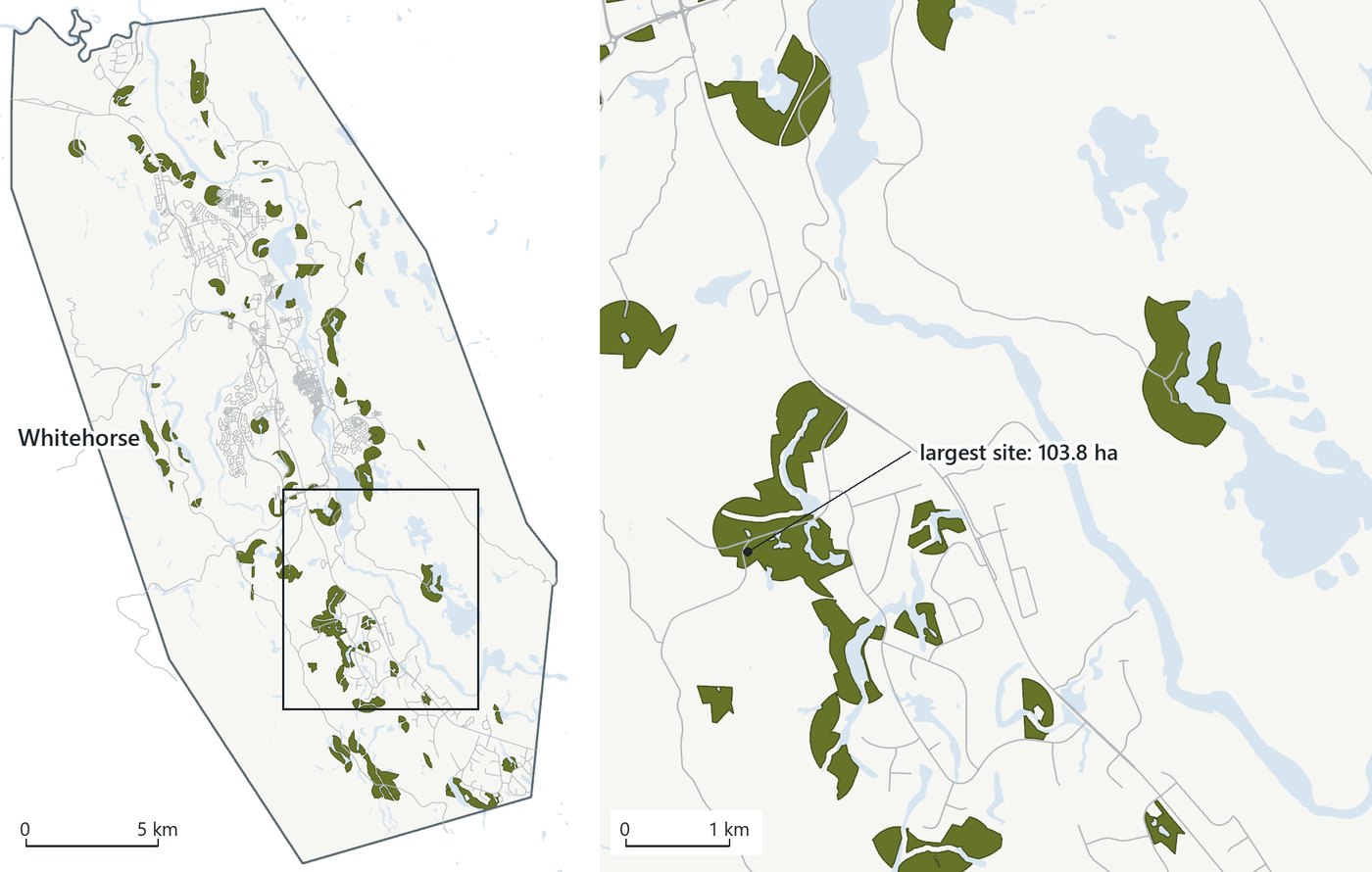
The lessons run in the Waldo pane inside ArcGIS Pro. Each one works through a real dataset from an official source: Ireland's river network and water-quality surveys, the counties and railroads of a US state you choose, Rwanda's census sectors, the city of Whitehorse in the Yukon, and the rainfall, cesspools and summit of Maui. Along the way you build the maps, tables and analyses yourself, in your own project, and keep them.
It is for anyone with a copy of ArcGIS Pro and no GIS training: a new analyst, a planner or researcher who needs to make maps, a student outside a GIS course, or someone who used ArcMap years ago and wants the concepts back. No programming is involved.
How a lesson works
A lesson is a conversation. Waldo gives one step at a time, you do it in Pro, and Waldo reads the project to see what happened.
list_layers · geology_city — 64 polygons, whitehorse_analysis.gdbStep 2 is done. geology_city is in your project geodatabase with 64 polygons, clipped to the city boundary.
Step 3: Clip the wells. Open Clip again from the Geoprocessing pane. Set Input Features to wells, Clip Features to city, and leave the Output in the project geodatabase, named wells_city. Before you click Run, read the Output box once. Tell me when it finishes.
Illustrative. Lessons run in Ask mode: Waldo reads, you change things.
Waldo checks the project, and tells you what it found
Every step that produces something has a check behind it. Waldo reads the live project: which layers exist, where the output went, how many rows a selection has, whether a join is on, whether the edits were saved. The check runs against your actual project state.
You do the work
Lessons run in Ask mode, in which Waldo can read your project but changes nothing. Every tool is run from Pro's own dialogs and every feature is drawn by you. The point is that you learn Pro, and Waldo's role is to see what you did and keep you on course.
Ask anything, mid-step
A lesson is a conversation with a model, so a question about a dialog, a term or a result gets a real answer and the lesson resumes afterwards. Where a step is easier to show than tell, a picture of the pane, dialog or map appears in the lesson.
Start anywhere, stop anytime
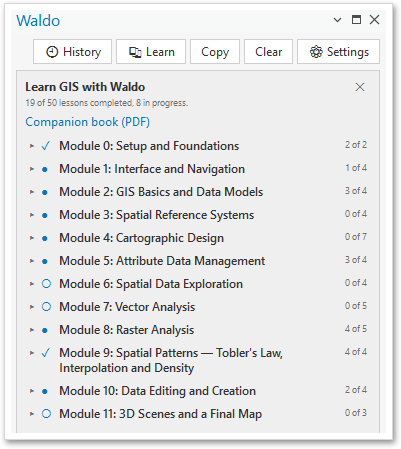
The Learn panel lists every module and lesson with your progress. Each lesson says what it builds on and brings in its own data, so you can jump to rasters without doing projections first, leave in the middle of a lesson and resume at the step you reached.
The Learn panel sits at the top of the Waldo pane. It shows the twelve modules, the lessons inside each, and which ones you have completed. Start opens a lesson, Resume returns to the step you reached, and Check my work runs the lesson's checks against the open project at any time, including on a lesson you finished weeks ago in a different project.
Lesson progress is stored on your machine. Nothing about your lessons, your project or your questions is sent anywhere except to the AI provider you chose.
What makes it different from other tutorials
There are many good ArcGIS Pro tutorials. This is a course.
One course, in order
The twelve modules follow a university syllabus, so each one builds on the last and the concepts arrive in the sequence a GIS course teaches them. Finishing it covers what a first GIS course covers.
Your work is checked, step by step
A tutorial shows a finished screenshot and leaves the comparison to you. Here Waldo reads your project after each step and says what matched and what did not. A buffer that landed in the wrong geodatabase, a join made in the wrong direction or an unsaved edit gets caught at the step where it happened.
You can ask why
Written tutorials end where the author stopped writing. In a lesson you can ask about the thing on your screen, right then, and get an answer about your data, your dialog and your map.
Real data from official sources
Every dataset comes from a government or university source and is loaded live from the web: Ireland's EPA, the US Census Bureau, Rwanda's statistics office, the Government of Yukon, the State of Hawaiʻi. You learn to find and judge data as part of the course.
Concepts and practice together
Each lesson teaches the idea and the clicks in the same sitting, and the companion book goes deeper on the idea with figures made from the course's own data, so what you read looks like what you see in Pro.
In your own Pro, with your own AI
There is no separate learning environment. You learn in the software you will use, in a project you keep, with whichever AI provider you connect. The whole course costs a few dollars in model usage on a pay-as-you-go key, and the Gemini free tier works.
The modules
Fifty lessons, mostly ten to twenty minutes each. Times are guided-lesson estimates; questions and detours are yours to add.
| # | Module | Lessons | Time |
|---|---|---|---|
| 0 | Setup and FoundationsNaming and saving a project; how Waldo lessons work. | 2 | 15 min |
| 1 | Interface and NavigationThe ribbon and panes, navigating and bookmarks, pop-ups and tables, adding data. Ireland's river network and water-quality surveys. | 4 | 50 min |
| 2 | GIS Basics and Data ModelsHow a project points to its data; points, lines, polygons and cells; geodatabases and shapefiles; where data comes from. | 4 | 40 min |
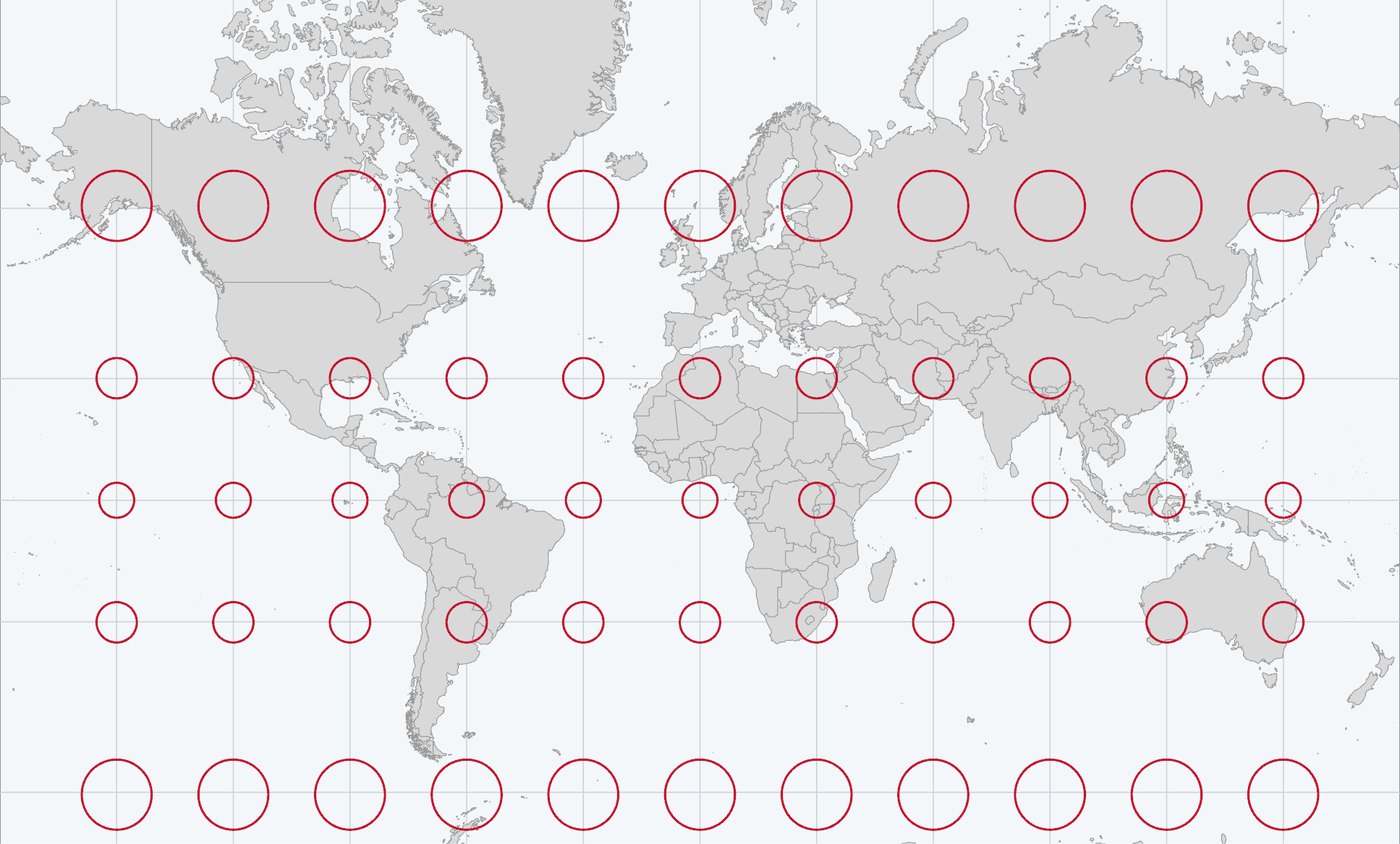
| 3 | Spatial Reference SystemsThe shape of the Earth, latitude and longitude, a projection gallery, choosing a coordinate system. Dublin to Galway, measured two ways. | 4 | 50 min |
| 4 | Cartographic DesignA map of a US state you choose: symbols, color, classification, labels, a first layout, design principles. | 7 | 1 h 35 |
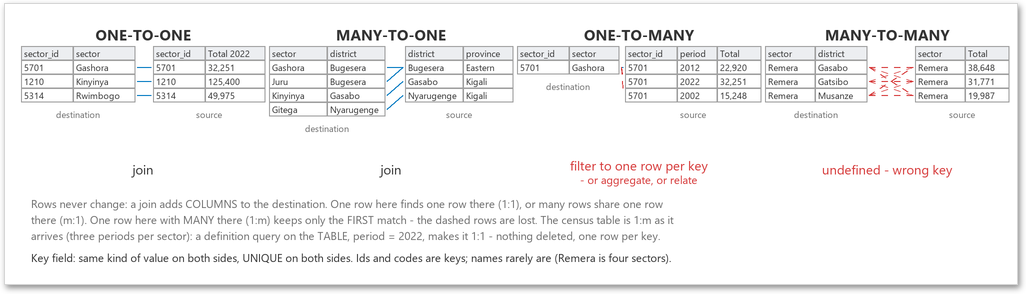
| 5 | Attribute Data ManagementTables and field types, calculated fields, joins and their cardinality, a rate from joined data. Rwanda's 416 census sectors. | 4 | 1 h 05 |
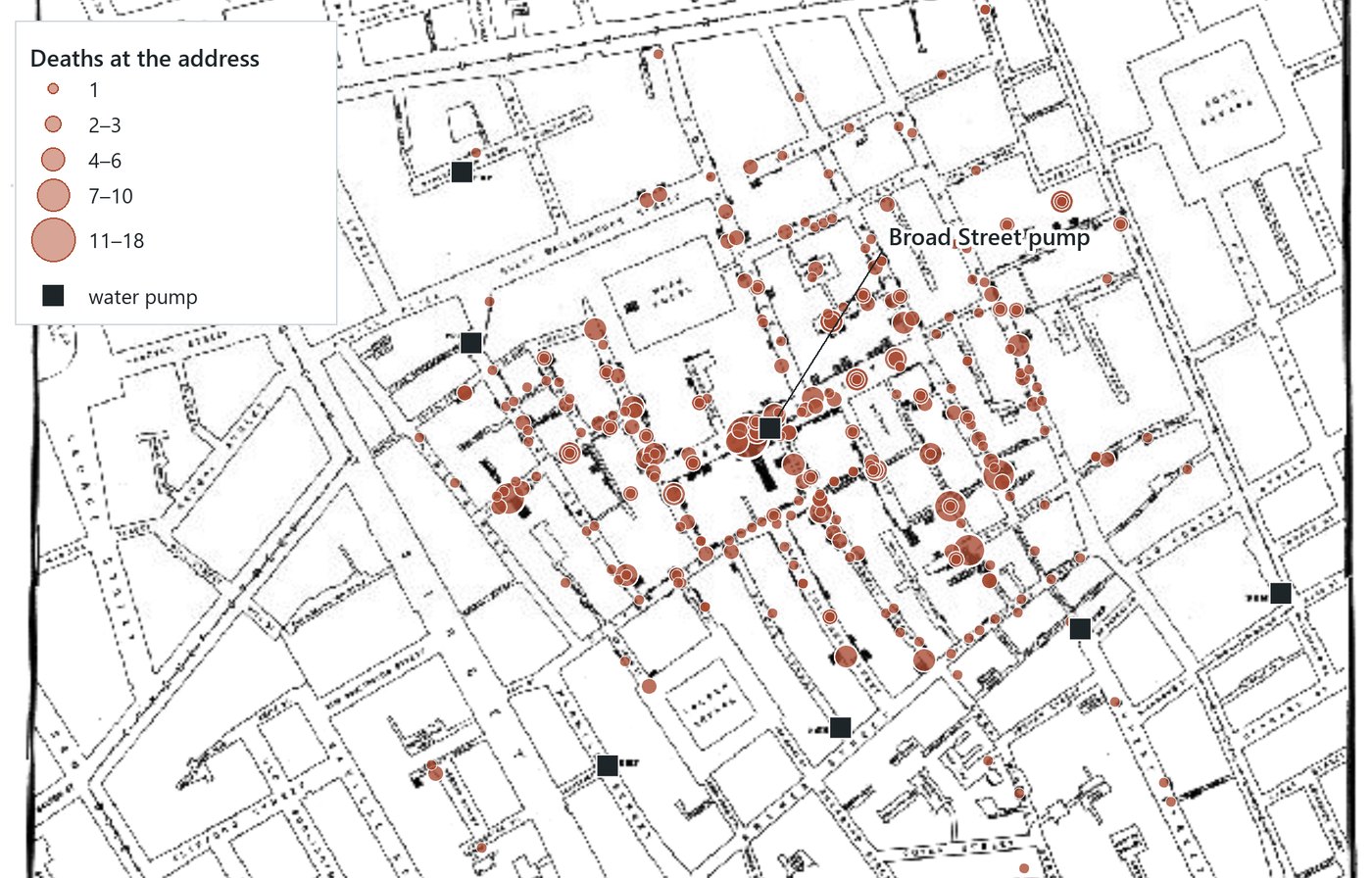
| 6 | Spatial Data ExplorationJohn Snow's cholera map, attribute queries and the SQL behind them, spatial selection, summary statistics and a scatter plot. | 4 | 1 h 10 |
| 7 | Vector AnalysisBuffers, clip and erase, union, intersect and dissolve, a site-selection model, spatial joins. Whitehorse, Yukon. | 5 | 2 h 00 |
| 8 | Raster AnalysisThe raster model, a DEM and land cover from image services, relief and slope, map algebra, reclassify and a habitat overlay. | 5 | 1 h 50 |
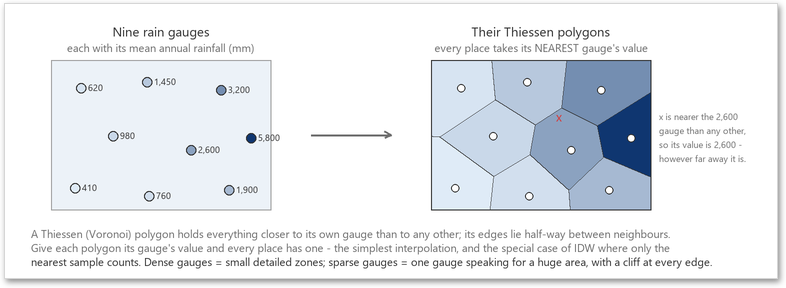
| 9 | Spatial PatternsTobler's first law and autocorrelation, Thiessen polygons, IDW interpolation, kernel density. Maui's rain gauges and cesspools. | 4 | 1 h 10 |
| 10 | Data Editing and CreationDesigning a geodatabase and feature classes, then tracing the Haleakalā summit road and buildings from imagery. | 4 | 55 min |
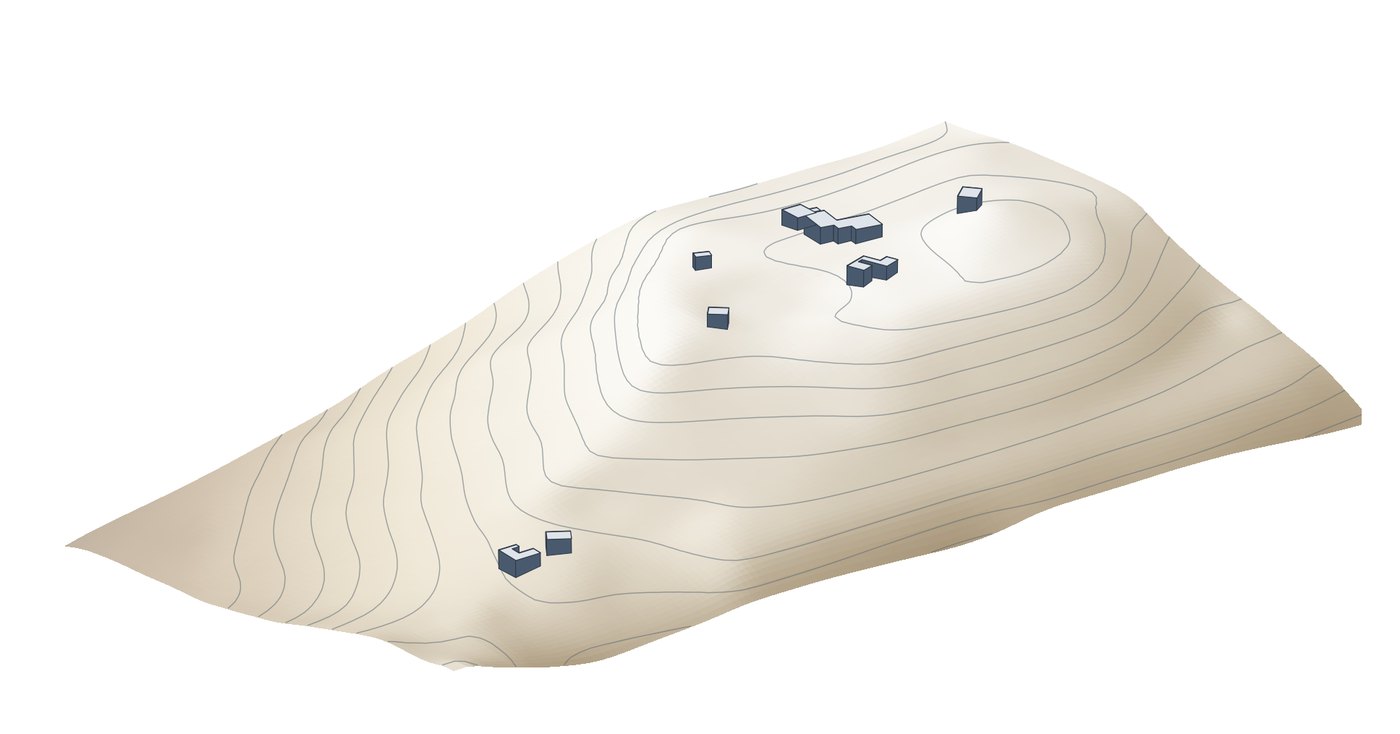
| 11 | 3D Scenes and a Final MapThe summit as a local scene with draped imagery and extruded buildings; then a final map of your own from the course's places. | 3 | 1 h 15 |
| Fifty lessons · about fourteen hours of guided work · more than two hundred pictures in the lessons | |||
The companion book
Introduction to GIS — A Visual Companion. One chapter for each module, written to be read beside Pro.
The lessons teach the clicks. The book explains the ideas: what a coordinate system is and why a datum matters, why a map of rates reads differently from a map of counts, what a join does to a table, how a kernel turns points into a surface. Each chapter matches a module, so Chapter 7 goes with Module 7, and you can read it before, during or after the lessons.
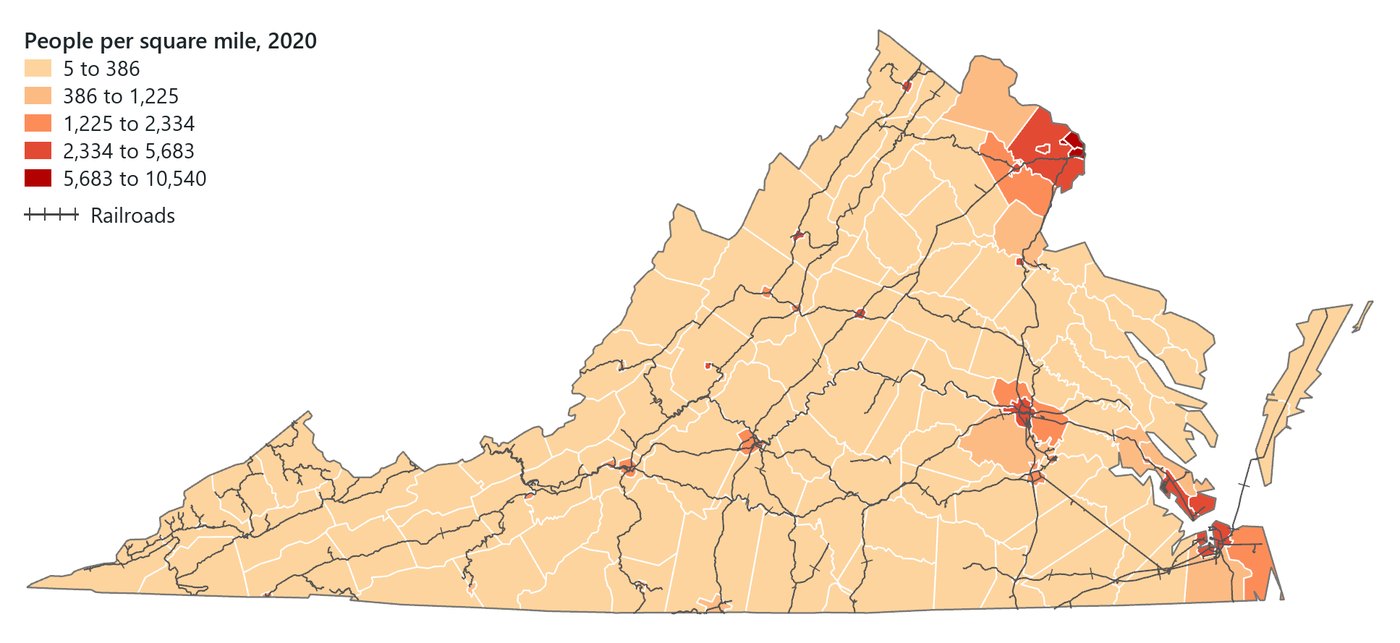
- Visual first. Every spread has a figure, and the text explains the figure. The maps are drawn from the course's own data, so the book's Virginia, Rwanda and Maui are the ones on your screen.
- Rules of thumb. The working rules the course follows, which are also the rules Waldo follows when it advises on a map.
- "In the pane" boxes point to the lesson that puts each idea to work, and "Try it" boxes give a question to ask Waldo about your own project.
- Chapter 0 stands alone as the getting-started guide: from a new computer to the first lesson.
Available as a PDF that prints on Letter or A4, and as a web edition with one page per chapter. Licensed CC BY-NC-ND 4.0.
What you need
ArcGIS Pro 3.7 or later
On Windows, with any license level. Modules 0 to 7, 10 and 11 use only what a standard Pro install has. The raster and interpolation lessons in Modules 8 and 9 use the Spatial Analyst extension and say so at the start. Esri offers a free trial of ArcGIS Pro and a personal-use license.
Waldo
The add-in that teaches the lessons. Waldo Learning is part of Waldo: one download, free, with the lessons in the pane's 📚 Learn panel. No account.
An AI provider
Waldo connects to the model you choose with your own key. Google Gemini's free tier runs the course; on a pay-as-you-go key from OpenRouter, Anthropic, OpenAI or DeepSeek, the whole course costs a few dollars. What that means, in plain language.
About fourteen hours
Spread however you like. Lessons are ten to thirty minutes each and the panel keeps your place, so an evening a week for a couple of months is a normal pace.
Questions
Do I need any GIS background?
No. Module 0 starts with naming and saving a project, and Module 1 is a tour of the window. If you already know Pro, start at the module you need; each lesson brings its own data.
Does Waldo do the lessons for me?
No. Lessons run in Ask mode, where Waldo can read your project but cannot change it. You run every tool and draw every feature. Waldo's part is to give the next step, read what happened, and answer questions.
How does the AI know what to teach?
It follows a written lesson plan. Every lesson is a script: the concept, the data, the steps in order, the pictures, and the checks that read your project at each step. The AI model does not invent the exercises or the ideas; it delivers the lesson, reads what happened in Pro, and answers your questions along the way.
So two people taking Module 7 do the same steps on the same data, and the checks they pass are the same. What the model adds is the conversation: an explanation in other words, an answer about your own screen, and a steer when a step goes wrong.
Is my work graded?
Each lesson has checks that read your project: the layer exists, the output is in the right geodatabase, the count is what it should be. The panel shows which passed. There are no scores, certificates or submissions.
Which AI model should I use?
Any model that handles tool calls well. The course has been walked end to end on Gemini Flash, DeepSeek, GPT and Claude models, and the free Gemini tier is enough. A faster model makes a lesson feel better; a stronger one gives better answers to side questions.
Does anything leave my machine?
Your messages and the project details Waldo reads for a step go to the AI provider you chose, and nowhere else. Lesson data is loaded from the public services that host it. Waldo has no server of its own in the loop, and your progress is a small file on your computer. Privacy.
Can I use it to teach?
Yes. The modules follow a one-semester syllabus and the book is licensed for sharing. If you teach a GIS course and want to use Waldo Learning in it, write to hello@waldogis.com.
Is this an Esri product?
No. Waldo GIS LLC is an independent company and a member of the Esri Partner Network. ArcGIS Pro is Esri's software; Waldo Learning is a course that runs inside it.
Twelve modules, fifty lessons, one book. Taught in your own copy of ArcGIS Pro.
Map credits. Maui rainfall: Rainfall Atlas of Hawaiʻi, University of Hawaiʻi at Mānoa; isohyets Giambelluca et al. (2013) via the Hawaii Statewide GIS Program (public domain). Virginia: USA Counties Generalized Boundaries, ArcGIS Living Atlas (Esri; U.S. Census Bureau); North American Rail Network Lines, Bureau of Transportation Statistics; ColorBrewer OrRd. Whitehorse: Government of Yukon, GeoYukon, under the Open Government Licence – Yukon. Projections: World Countries (Generalized), ArcGIS Living Atlas (Esri; Garmin; U.S. CIA; National Geographic Society). Soho: John Snow, 1855, public domain; georeferenced scan and digitised deaths and pumps by Esri_Tutorials, ArcGIS Online. Haleakalā: USGS 10 m DEM via the Hawaii Statewide GIS Program; USA Structures, ORNL and FEMA (CC BY 4.0).